The latest system in the RDX marks a major technological leap forward for Acura.
Innovation in automotive infotainment has rarely been an easy path. Systems that introduce unusual interfaces or unconventional controls often face skepticism from both critics and customers, and several ambitious efforts have eventually backed away from their original ideas. Acura experienced that problem firsthand.
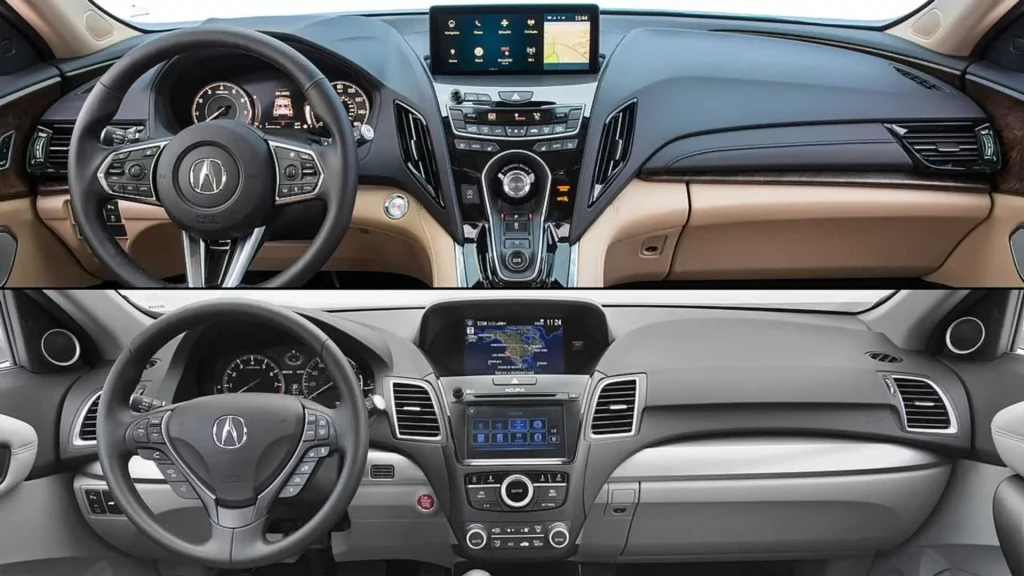
For years, Acura relied on a dual-screen infotainment setup that quickly became one of the biggest complaints about its vehicles. The two displays used different graphics and interfaces, with one controlled by a touchscreen and the other relying on a knob and physical buttons. The system was functional, but it wasn’t particularly intuitive or visually cohesive, and it repeatedly landed on the downside of Acura reviews.
That changed for the 2019 model year with the redesigned RDX. Acura introduced a completely new infotainment system centered around its True Touchpad Interface, taking a fresh approach to how drivers interact with the screen. Rather than simply copying the touchscreen systems used by competitors, Acura developed an innovative control method designed to make accessing on-screen functions more natural while adding features that helped set the system apart.
The result was a remarkable turnaround. The RDX’s new infotainment system addressed many of the shortcomings of Acura’s previous technology and demonstrated that unconventional ideas can work when they’re thoughtfully executed. After years of being one of Acura’s biggest weaknesses, infotainment had suddenly become one of its most compelling strengths.
Absolute Positioning Makes The Touchpad Intuitive
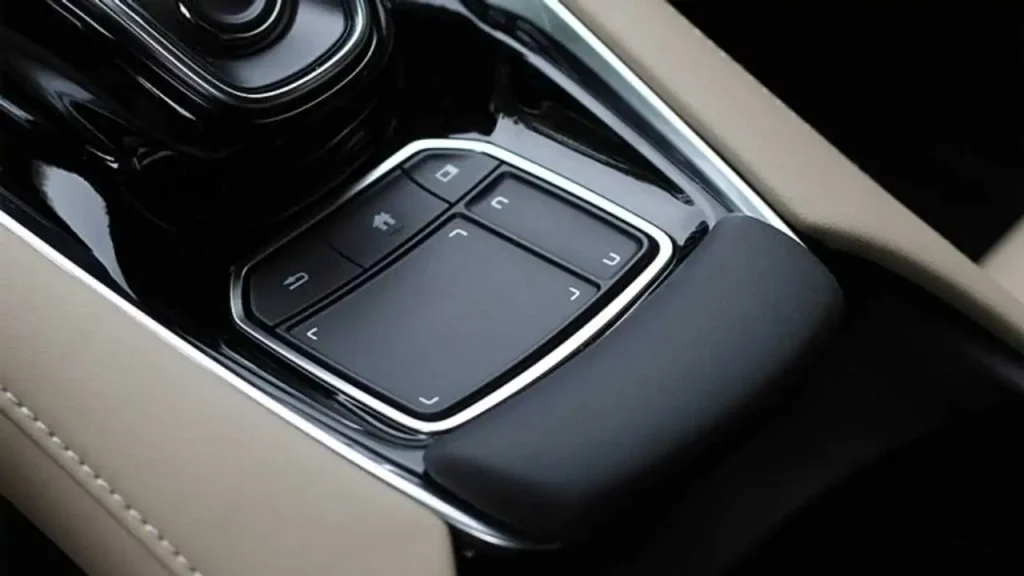
The centerpiece of the system is Acura’s True Touchpad Interface, which works differently from the trackpads found in laptops and many other vehicles. The 2019 RDX uses absolute positioning, meaning the location of your finger on the touchpad corresponds directly with the same location on the display. If the button you want is in the upper-right corner of the screen, you simply touch the upper-right portion of the pad without moving a cursor across the display. It’s a small but clever detail that creates a direct physical relationship between the controller and screen, making the system easier to understand and use.
One 10.2-Inch HD Display Replaces Two Screens
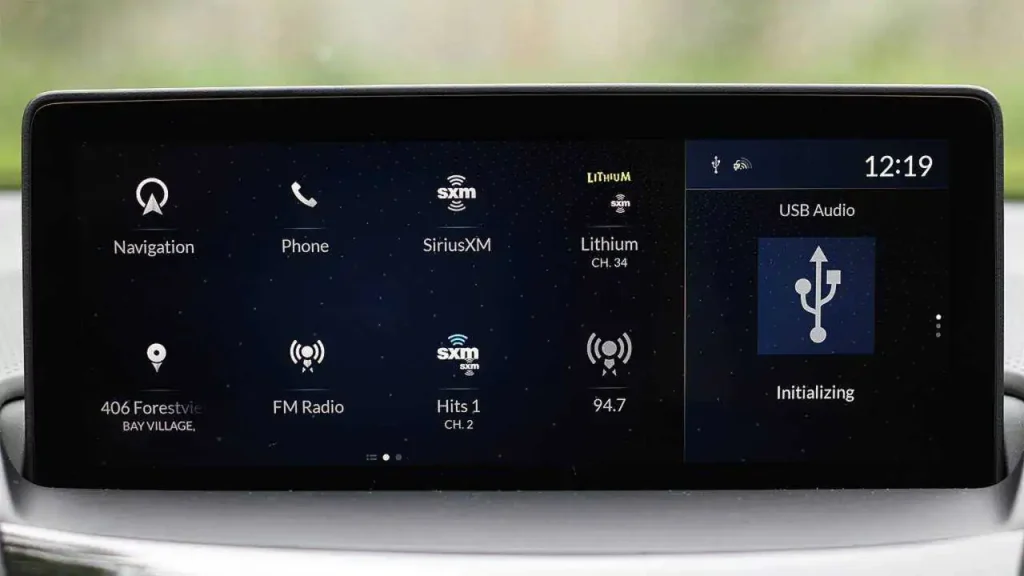
One of the biggest changes to the RDX’s infotainment system was replacing Acura’s previous two-screen arrangement with a single 10.2-inch HD display. Instead of making drivers determine which screen controls which function, the new setup puts navigation, audio, vehicle information, and other features into one central display. The larger screen also provides more space for information, while the updated graphics and interface feel like parts of one cohesive system rather than separate technologies sharing the dashboard. It was a simple change, but a significant improvement in usability.
The A/B Zone Operating System
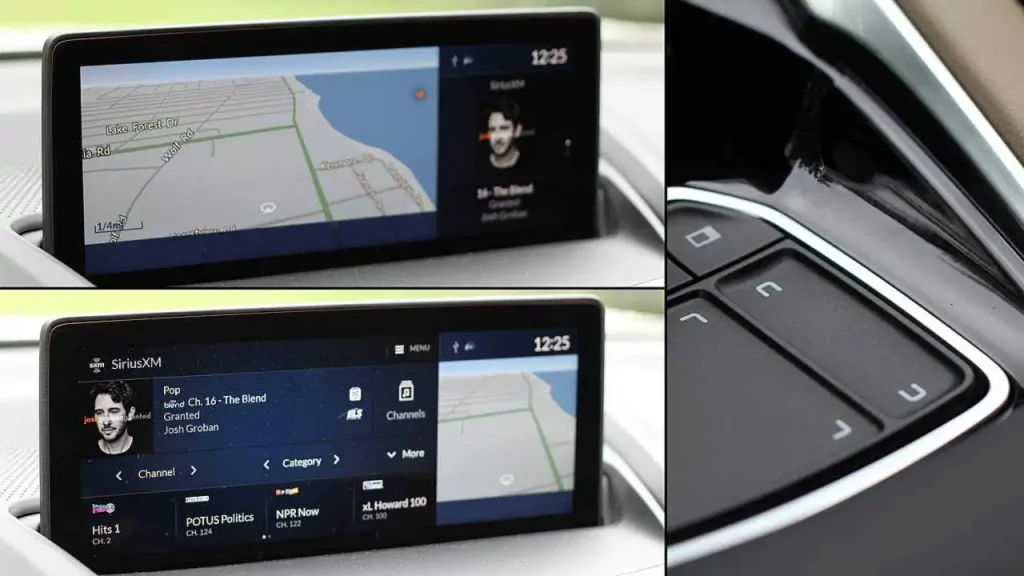
Another clever feature is Acura’s A/B Zone operating system, which allows different areas of the interface to handle different information at the same time. Navigation and audio functions, for example, can coexist without requiring the driver to completely leave one function to access another. By reducing the number of menu changes and steps needed for common tasks, the system makes multitasking easier while helping limit the amount of time drivers need to focus their attention on the display.
A Reconfigurable Home Screen
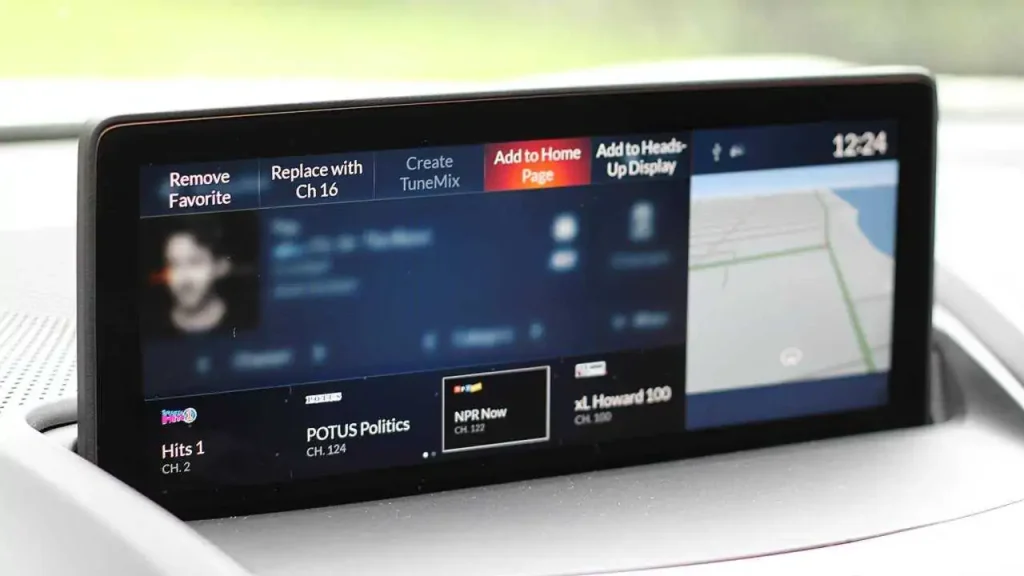
The RDX also allows owners to reconfigure the home screen, giving them the ability to organize the interface around the functions they use most. One driver might prioritize navigation and audio, while another may rely more heavily on smartphone integration or vehicle settings. Allowing users to arrange the screen according to their habits makes the system more useful and gives the RDX a more modern, customizable feel rather than locking every owner into the same fixed layout.
Apple CarPlay Brings Your Smartphone Along
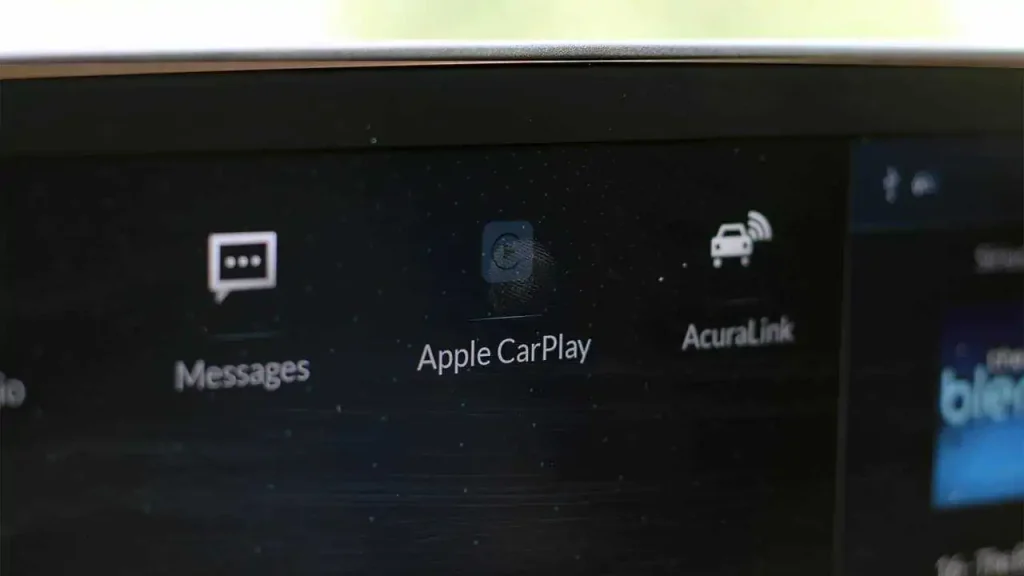
The RDX also embraced Apple CarPlay, allowing iPhone users to access familiar smartphone functions through the vehicle’s display. Navigation, music, phone calls, messages, and compatible applications could be accessed without forcing drivers to learn an entirely different ecosystem. As smartphones became increasingly central to communication, entertainment, and navigation, Acura’s decision to work alongside the device rather than replace it gave drivers the benefits of the company’s native infotainment system while retaining an interface they already understood.
The Head-Up Display Keeps Information In Sight
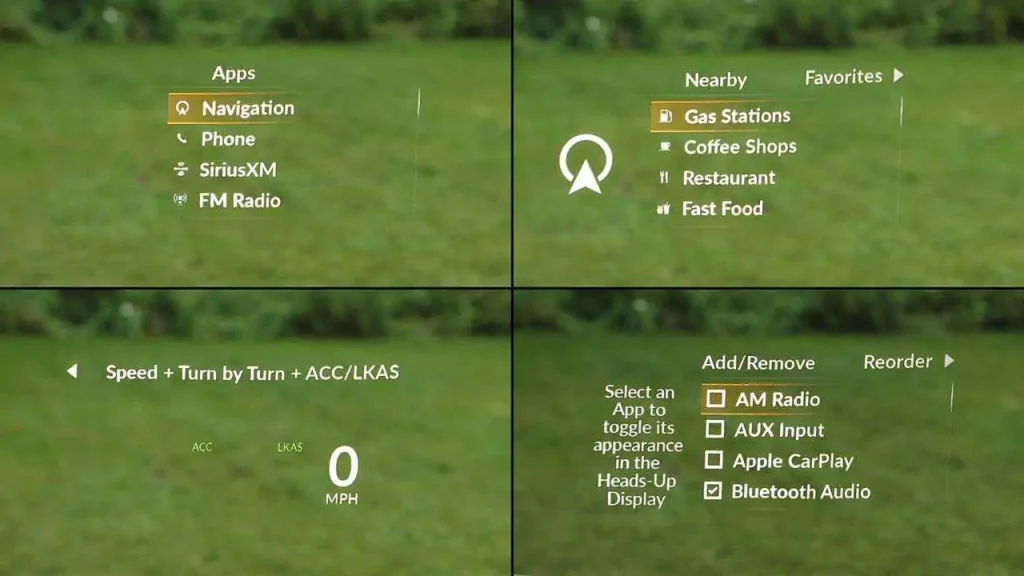
Acura also recognized that the best interface is sometimes the one the driver doesn’t have to look at. The available head-up display projects important information into the driver’s field of vision, reducing the need to look down toward the instrument panel or center screen. Depending on the configuration, drivers could see information such as vehicle speed and navigation-related instructions without looking as far away from the road. It was another example of Acura moving useful information away from the central infotainment display and closer to the driver’s natural line of sight.
Handwriting Recognition Adds Another Input Method
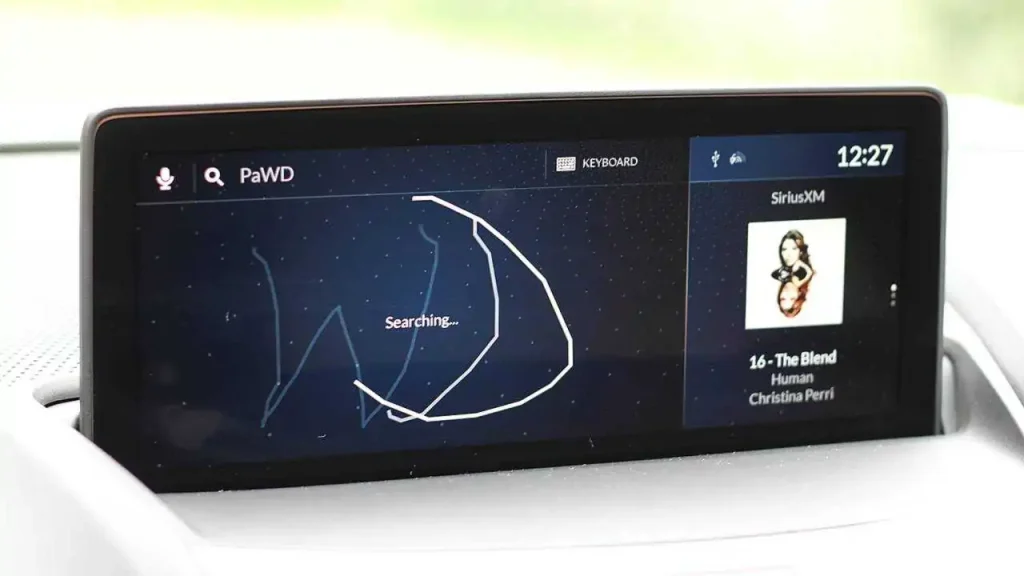
The True Touchpad Interface wasn’t limited to tapping virtual buttons because it also supported handwriting recognition. Users could write characters on the touchpad when entering information, which could be particularly useful for inputting a navigation destination. Instead of repeatedly tapping small virtual keys, the driver could write letters and numbers directly on the pad. It’s an unconventional feature, but it demonstrates Acura’s effort to provide multiple ways to interact with the infotainment system.
Exceptional Sound
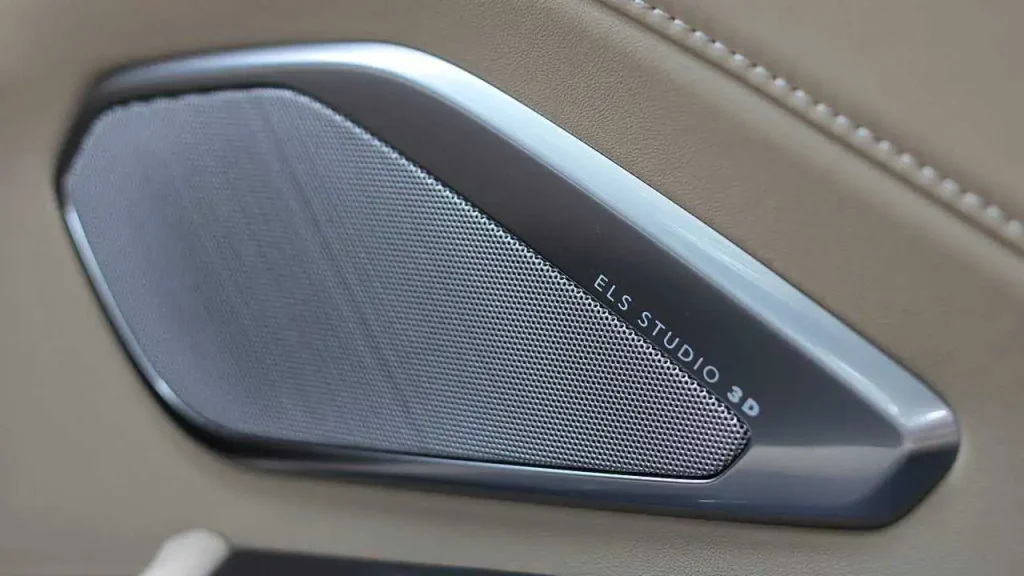
Infotainment isn’t just about screens, and Acura gave the RDX an audio system to match its technology. The available ELS Studio 3D premium audio system used multiple speakers integrated throughout the cabin to create a more immersive listening experience. That was particularly important as the RDX competed with established luxury crossovers from BMW, Mercedes-Benz, Audi, Lexus, and other premium brands. A sophisticated interface is useful, but having a premium sound system behind it makes the technology package considerably more appealing.
A Real Volume Knob
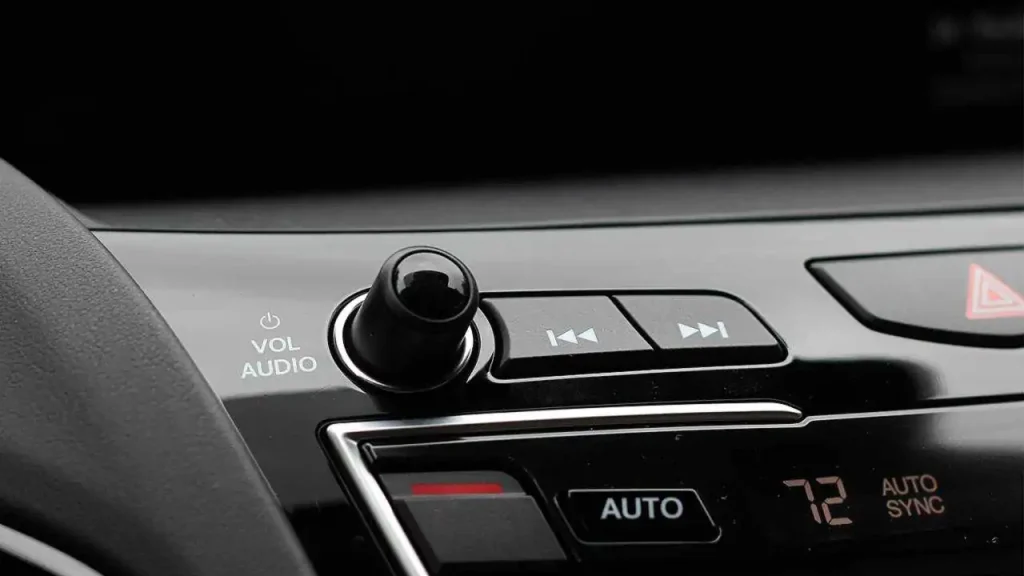
One of Acura’s smartest decisions was also one of its simplest: the RDX retained a physical volume knob. As automakers increasingly replaced traditional controls with touch-sensitive surfaces, Acura kept a conventional rotary dial that could be located and operated without requiring the driver to look at the screen. It provides immediate tactile feedback and works the same way every time, making it one of those seemingly minor features that becomes surprisingly valuable during everyday driving.
Climate Controls Stay Off The Screen
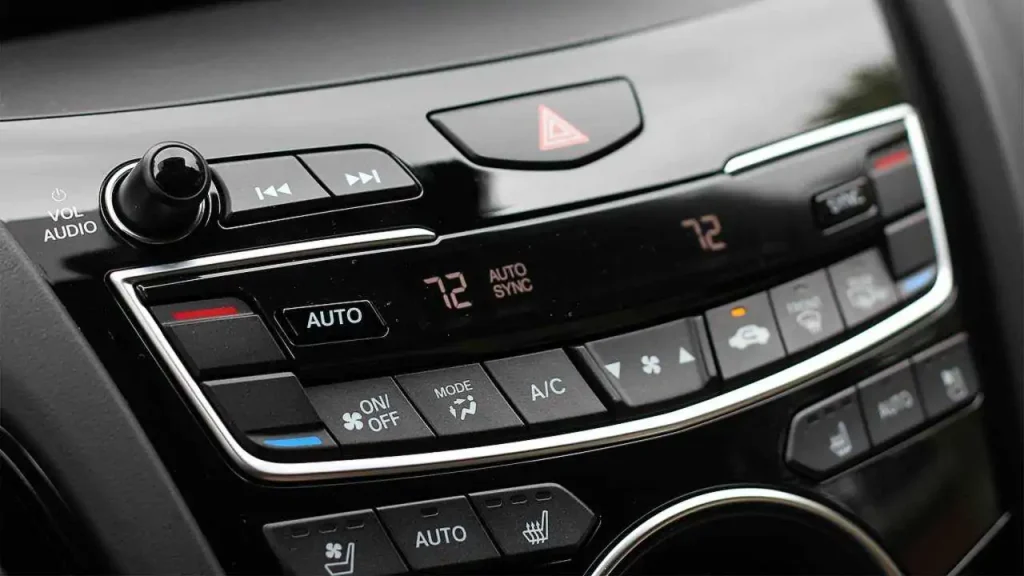
Acura also resisted the growing trend of putting basic climate functions inside the infotainment system. The RDX kept climate controls separate from the touchscreen, allowing drivers to adjust temperature and ventilation directly without opening a menu or searching for a virtual button. It’s a simple approach, but an effective one, demonstrating that adding more technology doesn’t necessarily make an interface better. Sometimes a dedicated physical control is simply the quickest and easiest way to perform a basic task.
The System Was Designed Around The Driver
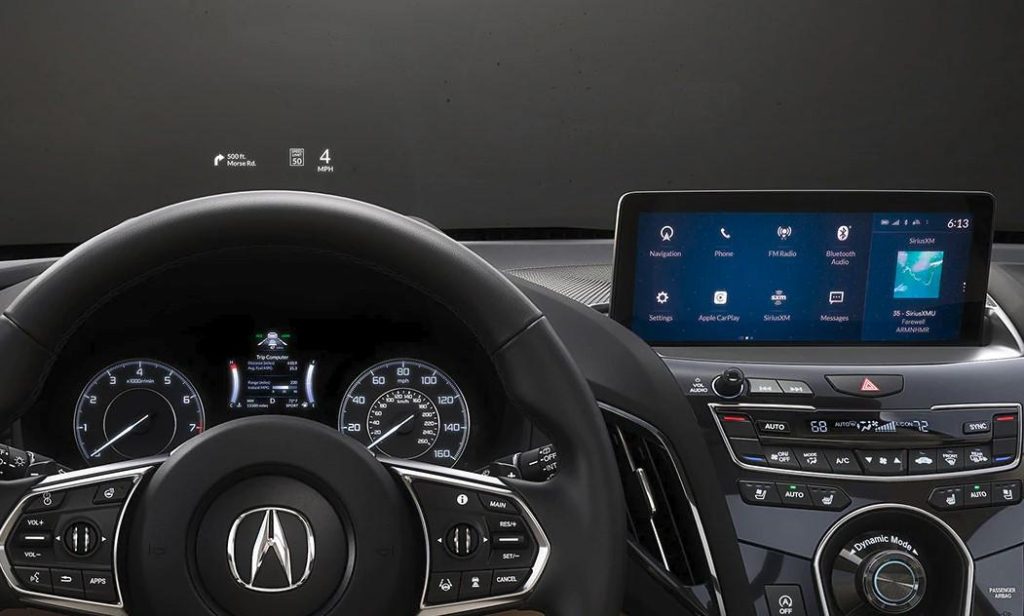
Perhaps the biggest improvement wasn’t a specific piece of hardware or software but Acura’s overall philosophy. The company wasn’t simply trying to build a system with the largest screen or the longest feature list; it was focused on making the interaction between driver and technology more intuitive. The True Touchpad Interface, physical volume control, separate climate controls, head-up display, customizable home screen, and smartphone integration all work toward the same goal of making technology easier to access without overwhelming the driver. That approach gave the 2019 RDX a distinctive take on in-car technology.